Asset packs
Nova Labs asset packs are downloadable guides, checklists, registers and Excel workbooks for BIM standards and CAD-to-Revit work. There is nothing to install. You open the files on your own computer.
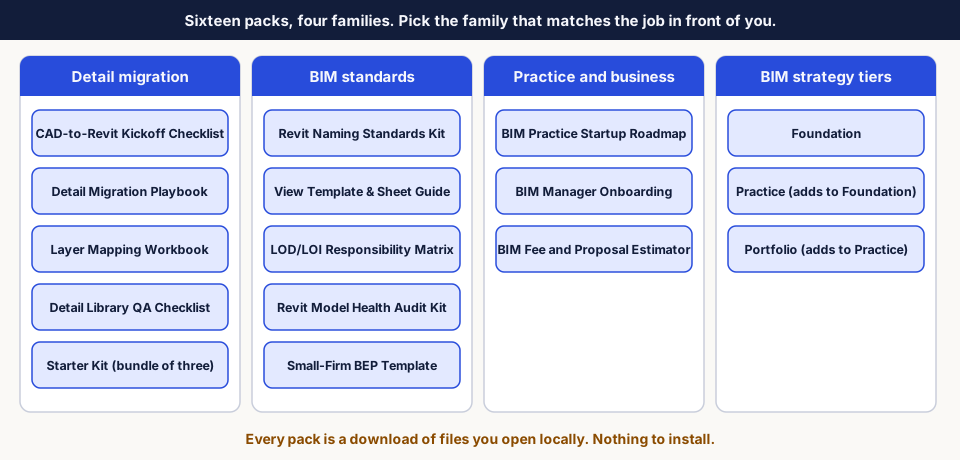
| Family | Quick start |
|---|---|
| Detail migration | Detail migration packs |
| BIM standards | BIM standards packs |
| Practice and business | Practice and business packs |
| BIM strategy tiers | Strategy tiers |
Packs that are currently for sale, and their prices, are listed on the Nova Labs products page. This help describes the version 1.0 contents of each pack.
Open your pack
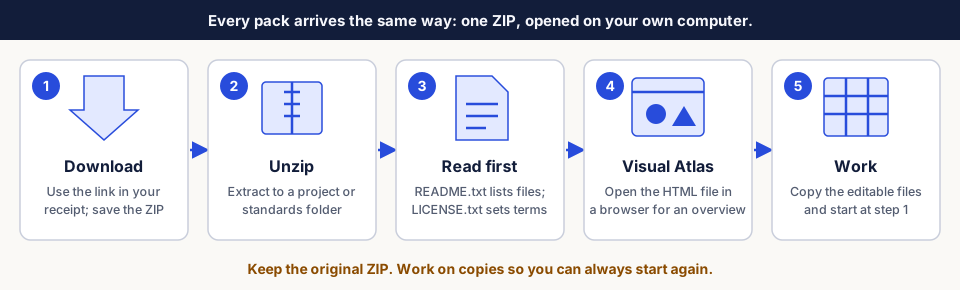
- Download the ZIP from the link in your receipt.
- Unzip it. On Windows, right-click the ZIP and choose Extract All.
- Read
README.txt(what is inside) andLICENSE.txt(who may use it). - Open
Visual-Atlas.htmlin your browser for an illustrated overview. - Work on copies. Keep the original ZIP so you can always start again.
File types
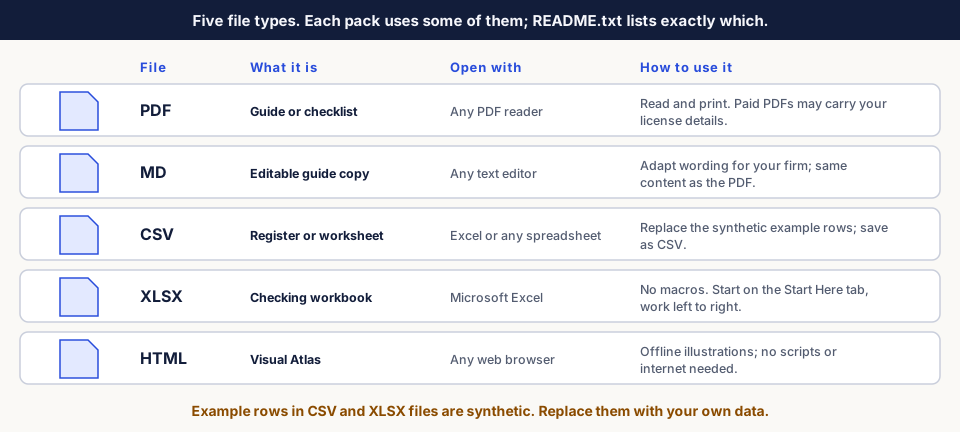
- PDF files are for reading and printing. Use the MD copy, where included, to adapt the wording for your firm.
- CSV example rows are synthetic and only show the format. Replace them, then save as CSV so the file stays plain and editable.
- XLSX workbooks contain formulas and dropdowns but no macros. Other spreadsheet apps may treat dropdowns differently from Excel.
Excel workbooks
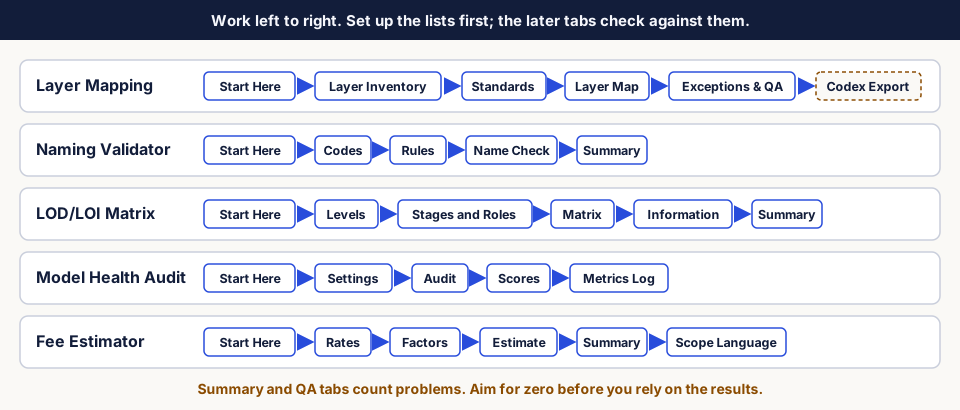
- Start on Start Here, then work left to right.
- Check columns and Summary or QA tabs count problems. Get them to zero before relying on the results.
- Replace the synthetic example rows and rates with your own.
Questions
- License terms: read
LICENSE.txtin your download. Your receipt shows your license tier. - Questions about a pack, or an expired download link: email support@novalabs.ltd.
- Receipts, invoices and refunds: email billing@novalabs.ltd.
Packs describe general methods. They are not professional architectural or engineering advice. Confirm software behavior in your own Revit version. Autodesk and Revit are registered trademarks of Autodesk, Inc.; Nova Labs is not affiliated with or endorsed by Autodesk.